Why have a visual Effect?
Visual effects (VFX) is a term used to describe imagery created, manipulated, or enhanced for any film, or other moving media that cannot take place during live-action shooting. VFX is the integration between actual footage and this manipulated imagery to create realistic looking environments for the context.


This is from newer Movie called ‘Jungle Book’, the photos above shows the process of the making of a character that is a 3D Model
VFX and SFX
Visual Affects and Special Effects are two different things. Visual effects are used to make something look like its happening when in reality it is not. For example, A spaceship flying through the sky in StarWars or a helicopter landing or taking off, it is also used to set environment using green screens etc;. Special Effects are used to exaggerate and make things look special and edited for example, This includes the use of mechanized props, scenery, scale models, animatronics, pyrotechnics and atmospheric effects: creating physical wind, rain, fog, snow, clouds, making a car appear to drive by itself and blowing up a building, etc. Mechanical effects are also often incorporated into set design and makeup.
Flying Project


Setting up a camera
Cannon EOS 700D is the camera which we have been using.
To begi, the camera needs 4 Double A Batteries.
Insert the batteries
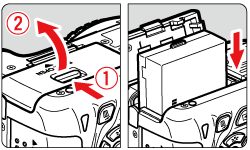
Insert a SD card for memory and to store your photos / videos.
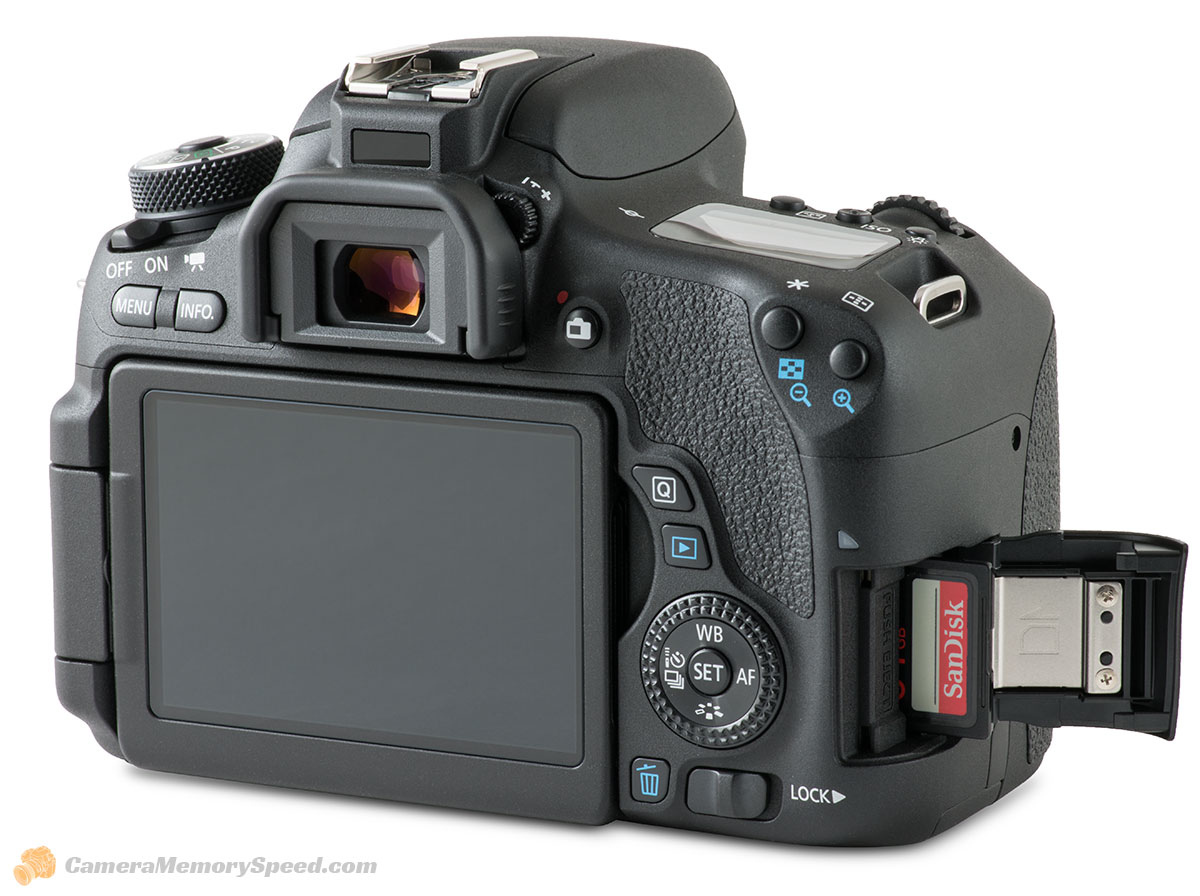
Attach the camera to a tripod or camera shoe.

Turn on the camera.

Risk Assessment


Green Screen Project
One visual affects feature we used was Green screening, In the lecture one of the students recorded themselves in-front of a green screen In which we were tasked to key out the green color to make the selected color (green) transparent – after this was done we were able to replace the background and add other visual affects if we wished.
In this project we were tasked to make an edit with the green screen and key out the green and replace it with a background of choice. In mine, i used the alpha key tool to key out the green screen and i replaced it with a foreground as well as background. I put a room type background in the back to make it look as though he was standing infront of said background. I got another image of the front of a cabin including the window, I cropped the greenscreen footage into place so it looked like he was near the window. This makes it look as though we are looking through the cabin at him. I also added some minor affects such as the snow loop which is snow particles constantly moving as tho it was realistically snowing. I also used an image of fairy lights to make it look as if the cabin was decorated. I took the photos into Photoshop to make sure they were right for the project, I added my own affects such as outer glow onto the lights to look as if they were shining and also projecting light onto the cabin wall.


Camera Trick – Next Gen Project
The team I operated in consists of me, Pavle, Leah and Pascal. I was in charge of filming and ‘Directing’ alongside Leah and Pascal. Pavle was the actor in this task, He did all the camera Videos whilst we all edited it ourselves.


 Niall Quinn